The NEH provides direct grants to museums, universities, archives, libraries, tribes and tribal organizations in support of research, education, and preservation. The agency also provides annual grants to state humanities councils in every state and U.S. territory. (The Chair for the NEH is currently Shelly Lowe (Navajo), a person familiar to many in New England’s Indigenous Country.) The NHPRC, a statutory body affiliated with the National Archives and Records Administration (NARA), supports a wide range of activities to preserve, publish, and encourage the use of documentary sources, created in every medium ranging from quill pen to computer, relating to the history of the United States. Both agencies are funded by the U.S. Congress.
In an initiative from The National Humanities Alliance, advocates from all 50 states and Washington D.C. met virtually today with their Members of Congress and congressional staff to discuss federal funding for the humanities, thanking them for the funding in the American Rescue Plan and pushing for increased funding for a wide range of humanities programs in FY 2023. Some advocates will meet representatives in weeks to come.
Help bolster our efforts by writing to your Members of Congress and adding your voice for the great work the NEH and the NHPRC do!
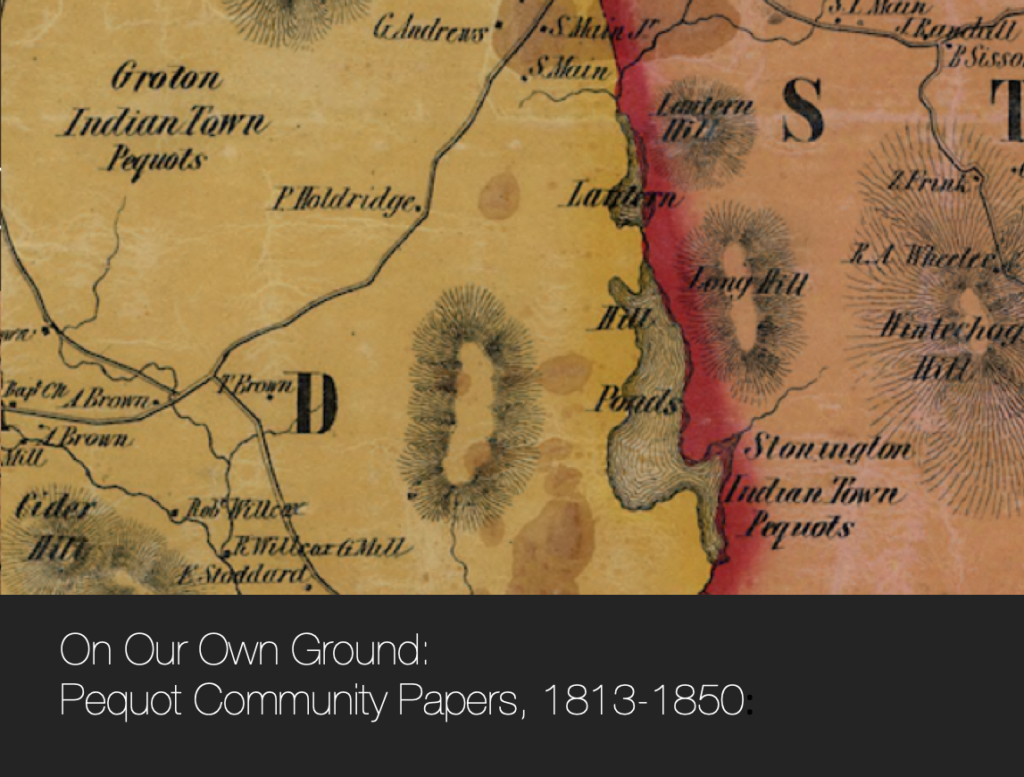
The Native Northeast Research Collaborative and the Mashantucket Pequot Museum & Research Center invite you to explore people, places, and events in over one hundred collaboratively edited early 19th Century Eastern Pequot and Mashantucket Pequot community records.
For over six months last year, the Editors of the Native Northeast Research Collaborative have joined with a team of Native Editorial Assistants and a number of Eastern Pequot and Mashantucket Pequot Community Scholars to collaboratively recover, enliven, and re-indigenize the historical record. This is one of the few projects (like UNH’s Dawnland Voices) where New England Native communities have had the opportunity in a systematic way to participate in a scholarly editing/digital repatriation and publication effort.
We would like to recognize and thank the people who worked collaboratively with us in making the NEH CARES project a success.
Designed by the Communities themselves, the Pequot Community Landing Page is a path to explore the tribes’ historical documentary archive. It includes a Community Scholar-generated narrative and image and a listing of tribal records within the CARES Grant context.
Pequot Community records can be also accessed through the Collections tab in the Native Northeast Portal. There, you will find an introduction to the CARES grant project on the left, and links to the two Pequot Community records on the right.
If you click the links on the right, you will find a short description of records, followed by a timeline of the materials.
Timeline
While the font is currently light (we’ll try to darken it up soon), you can use your cursor to scroll along the timeline. At the bottom, you will see the name of the overseer in color — that indicates the period of his tenure. You can move your cursor up and see various documents. Hold your cursor over them and they turn darker grey. Click on them, and you will see the title of the document appear next to an image. You can access the document directly by clicking the link under the title.
Digital Heritage Items
Underneath the Timeline, you will find the documents themselves. As you know, we’ve packaged them with images, metadata, and other information resulting in what we call a digital heritage item.
Accessing the NNRC Record
The NNRC Archival Record is located on the left tab, highlighted in red, in every NNRC DHI. Given it is the default setting, you most likely will not need to click it when you open a DHI. On the right, you will see Document Links. The default setting is Images and Details, which includes various metadata that allows access paths into the documents.
On this page will also be attached additional editorial interventions like Scholarly Commentaries and Editorial Notes. A Traditional Knowledge Label Verified indicates that each document has been reviewed by Community representatives for cultural sensitivity and other issues.
Accessing the Pequot Community Record
Returning to the main DHI page, the Pequot Archival Record is located on the tab to the right of the NNRC tab. When your cursor is placed over it, it will turn red. A click will display a similar configuration to the NNRC archival record.
What is different, however, is the appearance of Community generated keywords, prefaced with a lowercase dash [ _ ] and a Traditional Knowledge Label Community Voice, which indicates that tribal perspectives have been added to the record.
Responding to an Eastern Pequot Tribal Council concern, each Eastern Pequot DHI includes an Editorial Note that says
The Pequot Community Records, 1813-1850, part of the larger collection known vernacularly as the Overseers’ Records, are a set of financial and legal papers pertaining to the management of Connecticut’s Indian tribes. The documents, for the most part, were generated by non-Native appointees and reflect the pervasive settler-colonial perspective that underpinned Connecticut’s policy towards its Indigenous peoples, treating them as wards of the State. The Eastern Pequot Tribal Nation maintains that during this time and to the present day, it exists as a sovereign First Nations People despite the indignities of the overseer system.
Community Scholar Commentaries
The Community Scholars’ perspectives, written as commentaries, are available on the Annotated Transcription pages.
StoryMap
You also may be interested in Awful Consequences of the Fiery Curse of Rum, a StoryMap created to tell the story of the fatal assault of Edward Nedson, an Eastern Pequot, by George Jackson at Betsy Squib‘s house in 1847. The narrative indicates the presence of a White magistrate, only known as Squire, who repeatedly sold alcohol to the Indian community at Stonington, despite its destructive effects.
Alternative Search Strategies
There are many ways to access the records besides through the Community Landing Page.
You can select Browse and use the Search Box to find documents. This is helpful if you know or want to search by a title or ID number.